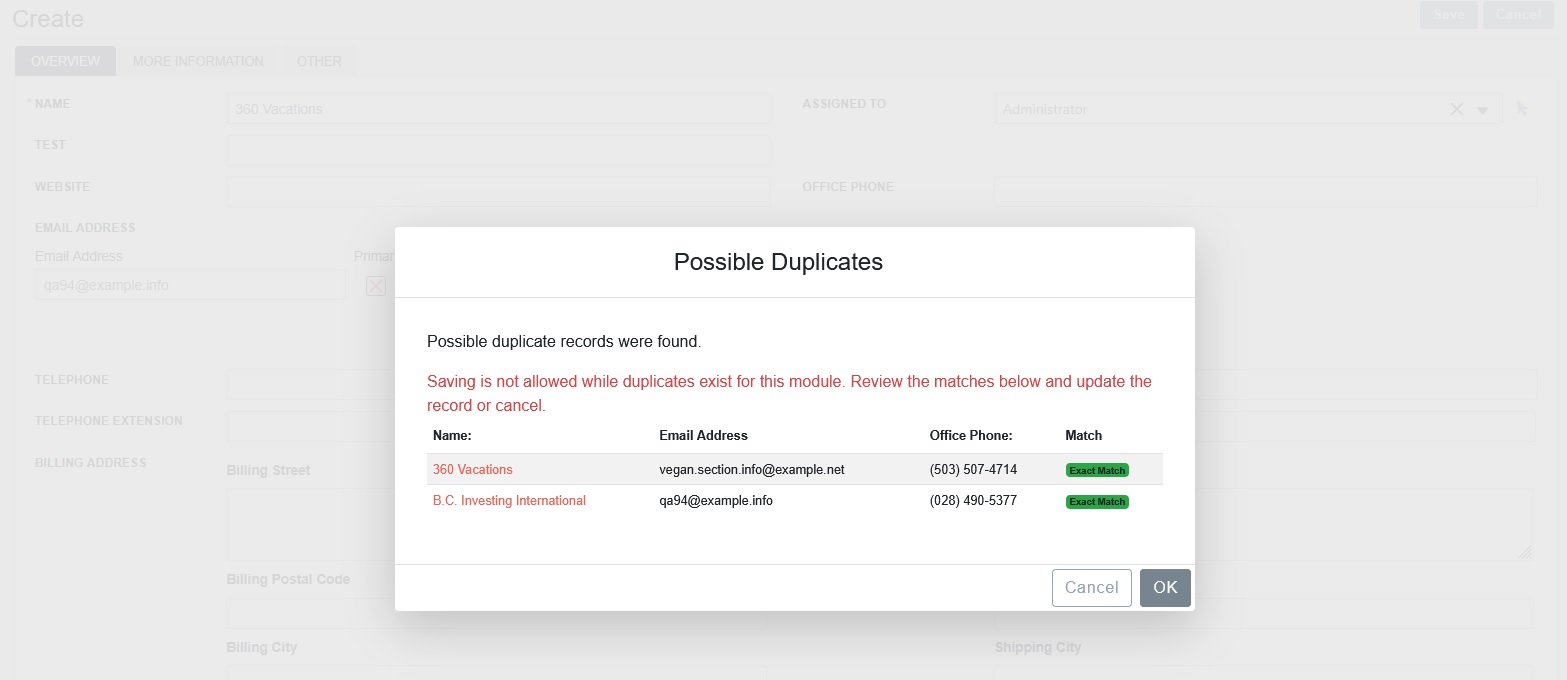
DupDetector SuiteCRM Installation Guide & User Guide
DupDetector SuiteCRM Installation guide & User Guide
Navigate to Admin > Module Loader and select the zip file, that you would have received upon the purchase. Follow the installation process.
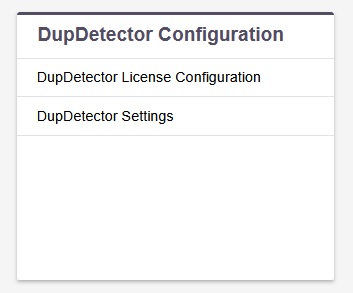
Once the add-on is installed successfully, Go to Admin and access “DupDetector Configuration” link shown as below.
If you select Prevent Submit option, the system will not allow a user to save a record if duplicate match found.
Note: SuiteCRM Field type supported is Varchar, Name, Phone and Email.
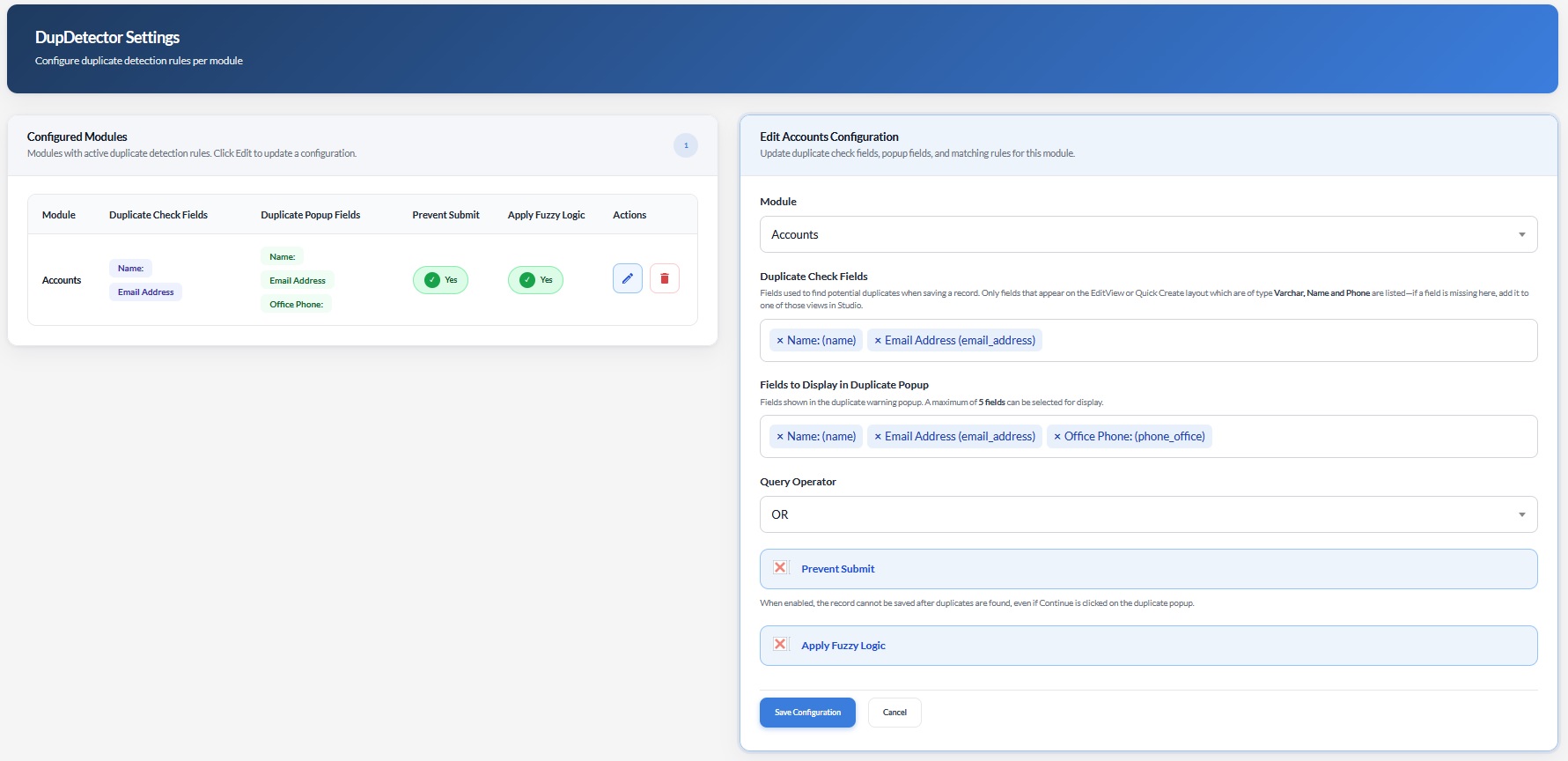
If you wish to remove the duplicate check, simply cancel field or Unselect that field from the dropdown. That’s it!
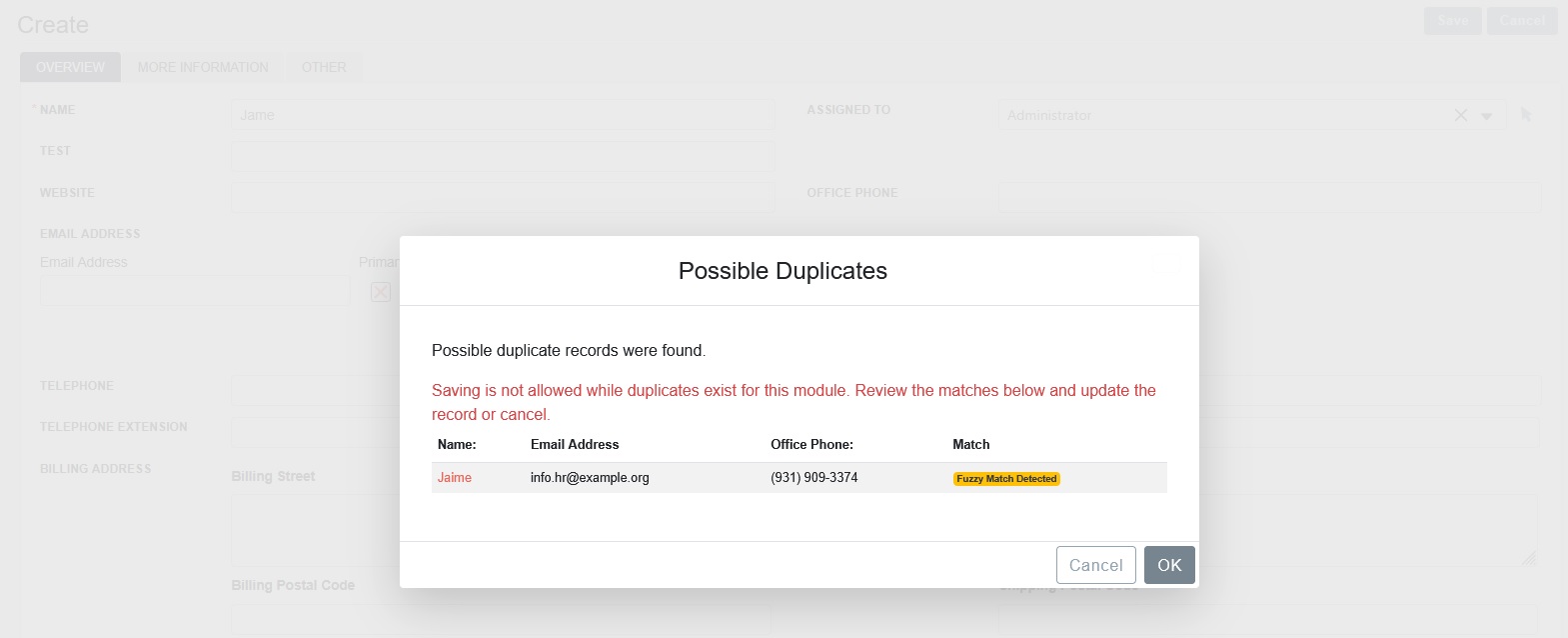
Fuzzy logic will be applied on the fields which is of type Name and Varchar only.Through Fuzzy Logic, different strings can be compared to see how similar the strings sound when spoken. Many times users misspelled the words. For example, “Jame” and “Jaime”/“Jeanie” produce the same sound and that's why it considers the record duplicate as follows.
DupDetector also checks the duplication on the Email Address.