

DocParser
DocParser
DocParser is a SuiteCRM Mail Merge and document generation plugin that creates Word and PDF documents using data from your SuiteCRM records. Use reusable templates to generate account profiles, meeting documents, project overviews, case summaries and other business documents while keeping the document workflow connected to your CRM.
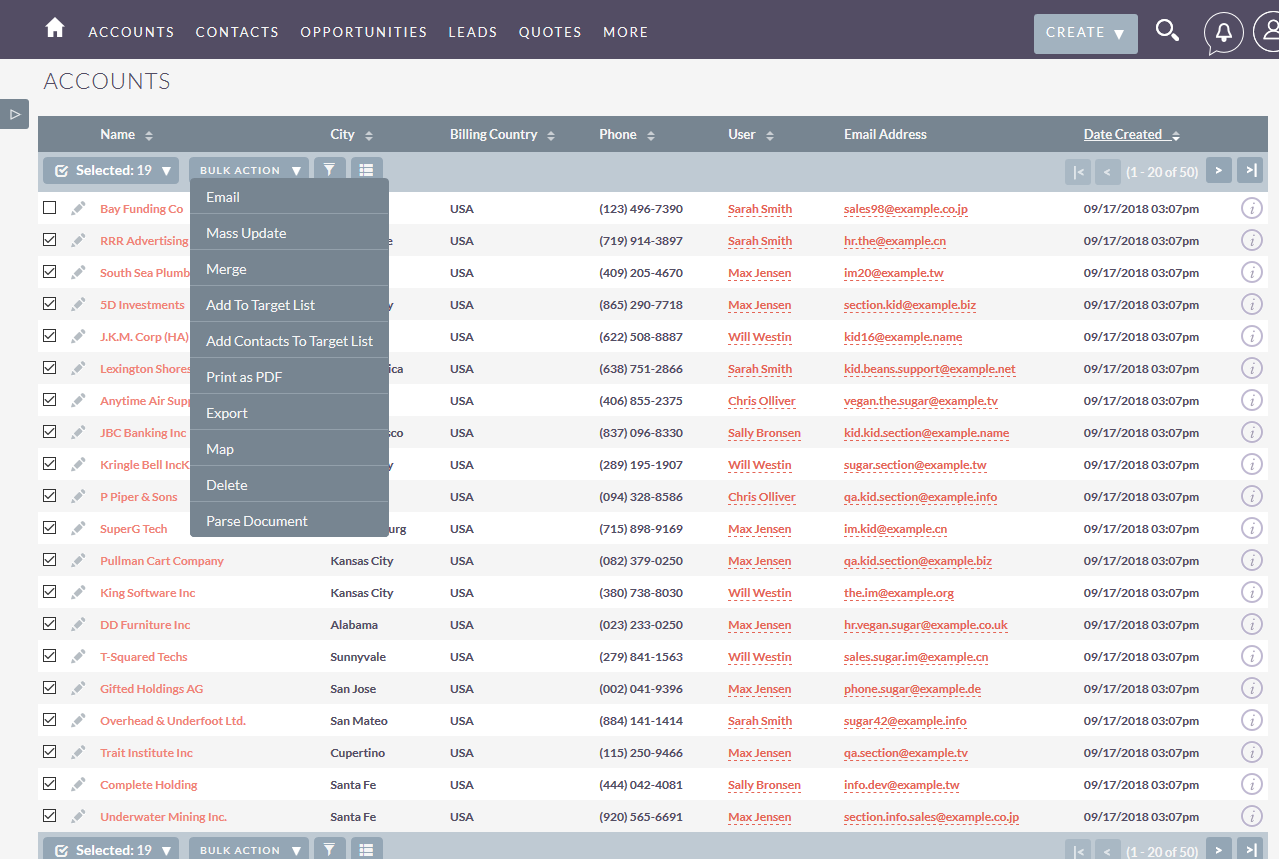
Merge SuiteCRM record data into reusable Word and PDF templates, including data from Accounts, Contacts, Opportunities, Cases, Meetings, and custom modules. Generate documents from Detail View, or perform bulk document generation from List View.
DocParser is one of the SuiteCRM plugins from Urdhva Tech. For custom document processes beyond this add-on, see our SuiteCRM development and customization services.
SuiteCRM Mail Merge & Document Generation
DocParser for SuiteCRM is a SuiteCRM Mail Merge plugin that creates PDF and Word documents using CRM data and related modules. It supports bulk document generation, reusable templates, and workflow automation inside SuiteCRM.
The problem
SuiteCRM users often spend time manually creating documents, copying data across modules, and maintaining consistency. This leads to inefficiencies, errors, and difficulty in handling bulk document generation.
The solution
DocParser solves this by providing automated mail merge and document generation in SuiteCRM with reusable templates, related module data merge, and one-click output from Detail View or List View.
How SuiteCRM Mail Merge Works
- Select the SuiteCRM record or records.
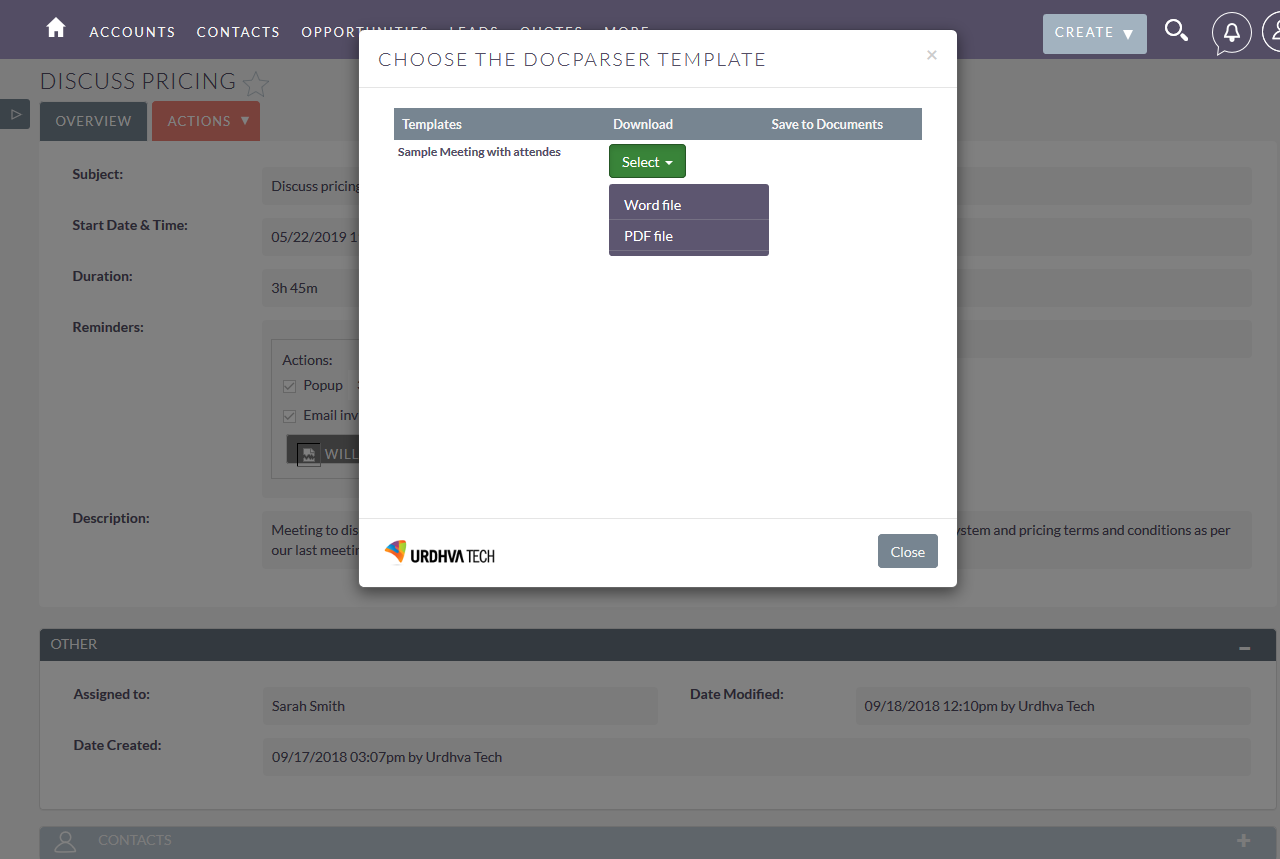
- Choose the appropriate DocParser document template.
- Merge SuiteCRM data from the module and related modules into the template.
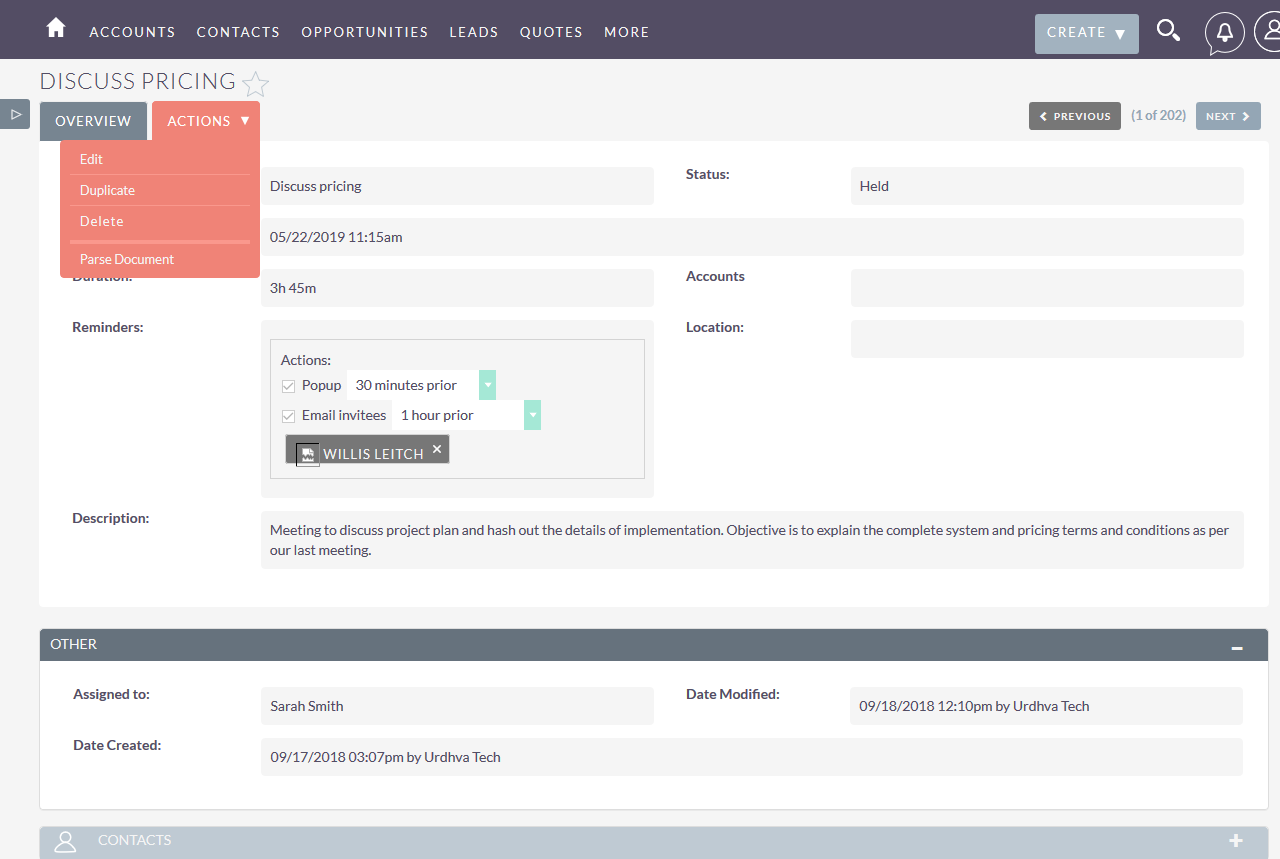
- Generate the Word or PDF document from Detail View or List View.
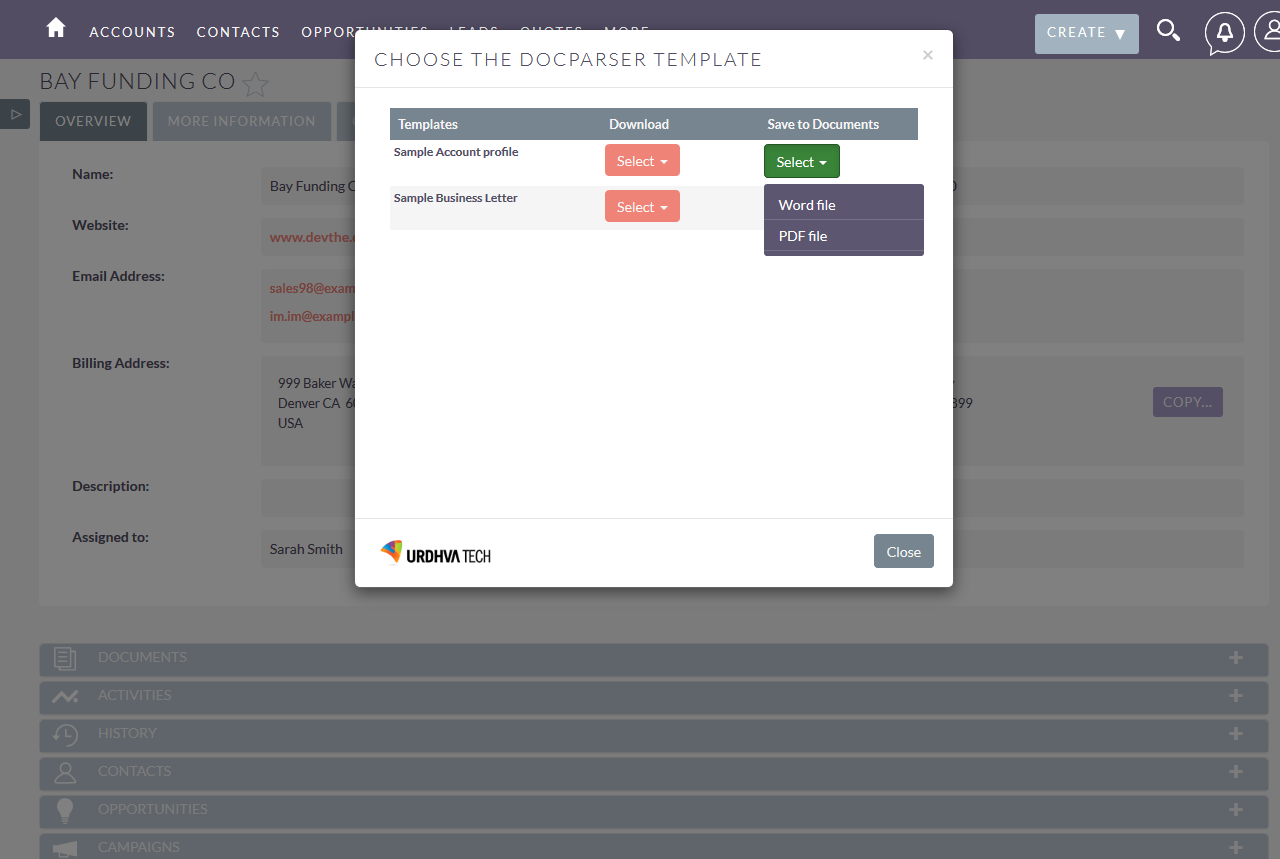
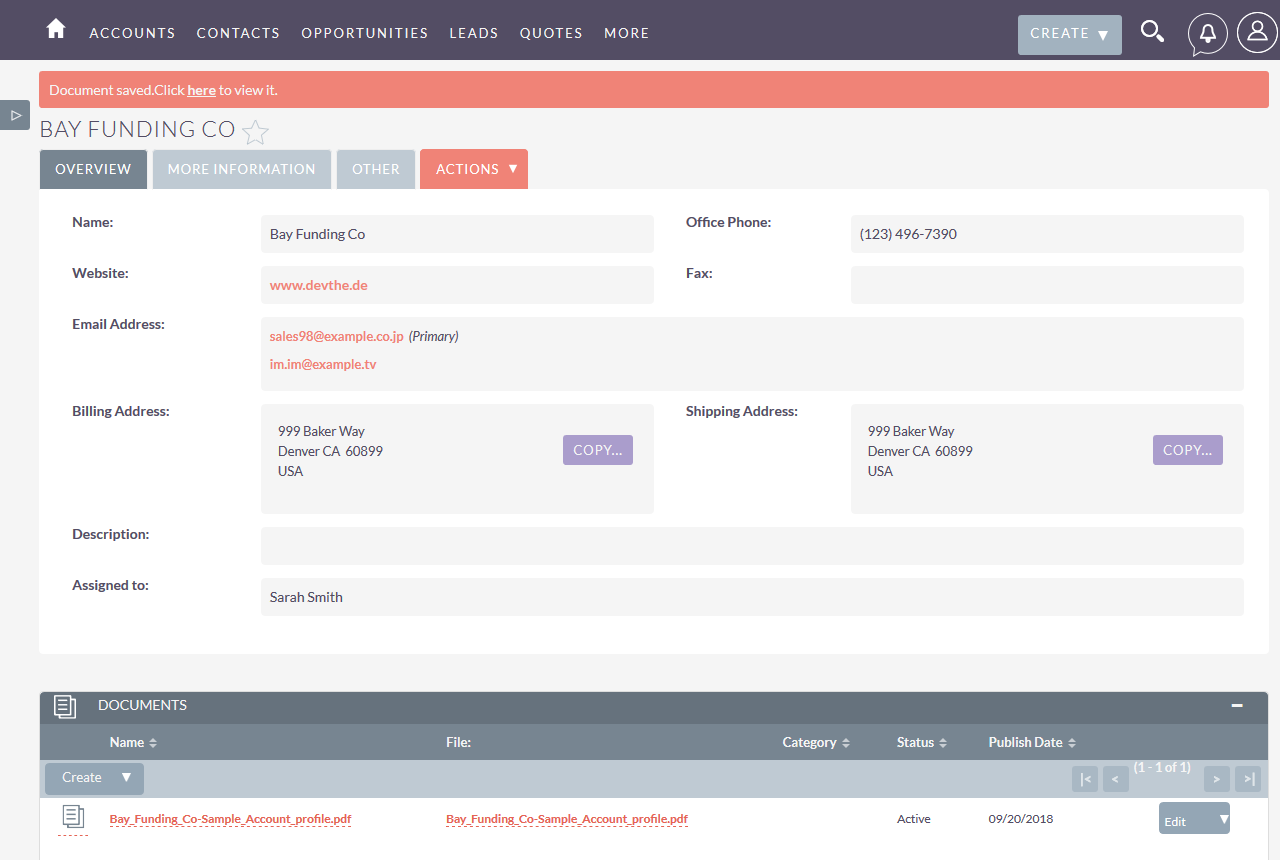
- Download instantly or save the file into the SuiteCRM Documents module.
DocParser for SuiteCRM Mail Merge & Document Generation
Word and PDF Document Generation
DocParser generates Word and PDF documents from SuiteCRM data. Merge record data into predefined Word or PDF templates from built-in and custom modules.
Merge Data from SuiteCRM Modules
Generate documents using the primary CRM record and related data. DocParser supports one-to-many and many-to-many related records. Example: an Account document with related Contacts, Calls, Meetings, Opportunities, and Cases.
Generate Documents in Bulk
Select multiple records in List View and generate one document per record in a single action. Ideal for bulk letters, labels, onboarding packs, and account summaries. Results can be downloaded as ZIP files.
Save Generated Documents in SuiteCRM
Download generated files immediately, or relate them to the SuiteCRM Documents module for internal sharing. Output is available in both Word and PDF formats.
Workflow-Based Document Generation
Use supported SuiteCRM workflows to send generated documents as email attachments. Combine email templates for body content with DocParser templates for the generated files.
Apply custom related-record filters
Define multiple filter rules for related modules to include only relevant records in output. Combined filters use AND logic for precise document data selection.
Key Features of DocParser for SuiteCRM
Document Templates and Merge Fields
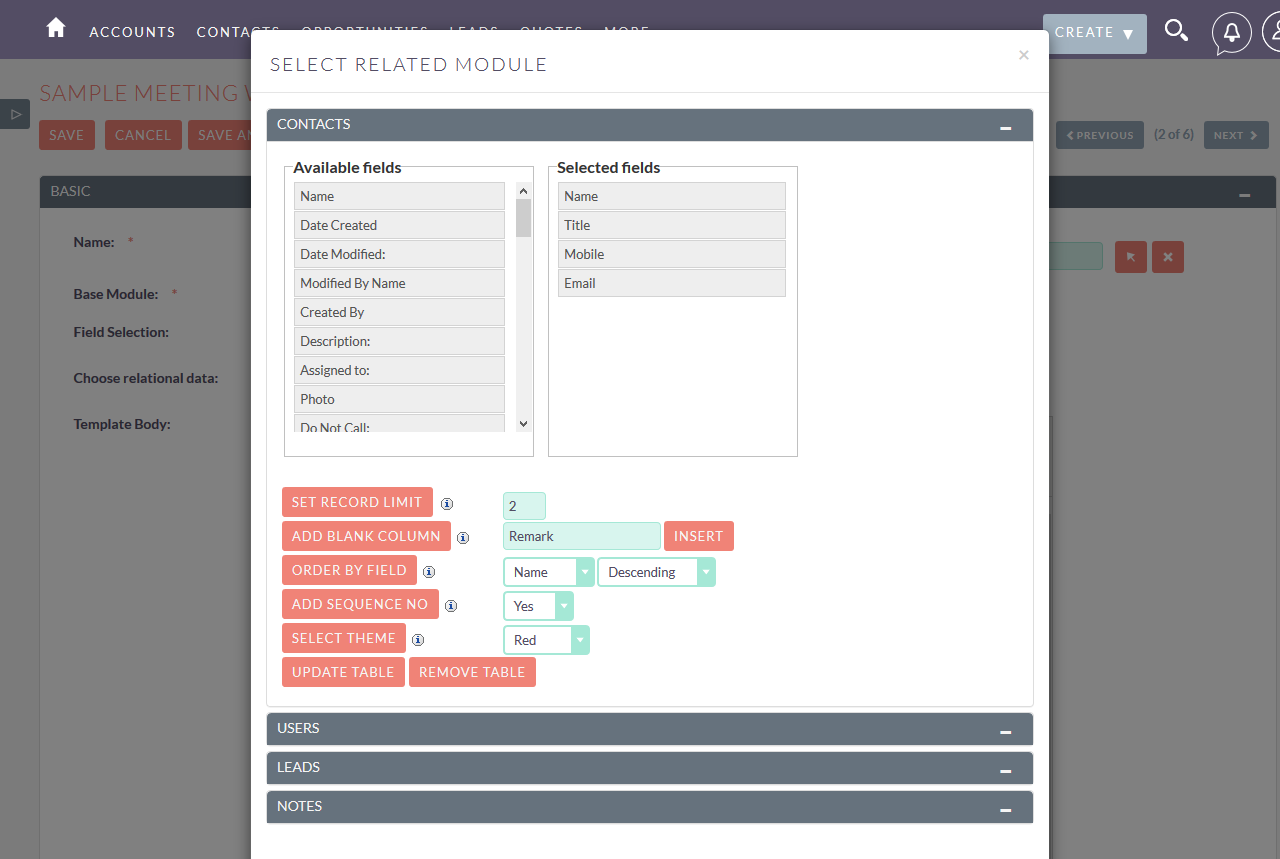
Create reusable SuiteCRM mail merge templates and map fields from the selected module and related modules. Ready sample templates help you build polished Word and PDF output for common CRM documents.
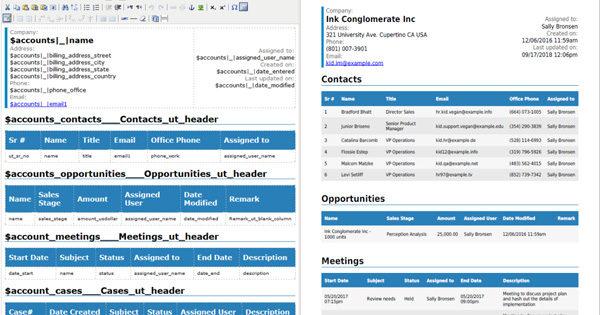
Account profile
A company profile that gives you all the information necessary from its own detail to the related information like Contacts, Opportunities, Meetings, Cases, etc. The templates are configurable to add information on the related modules.
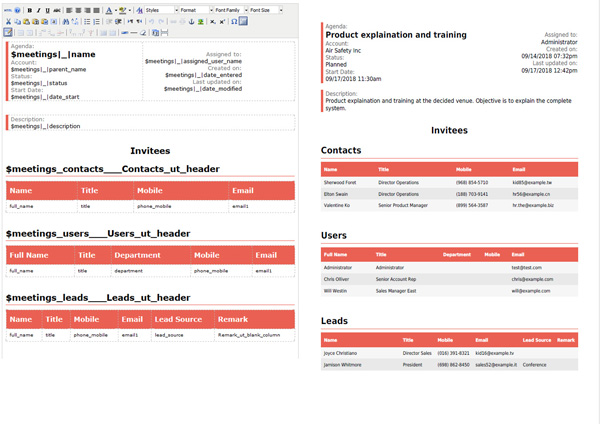
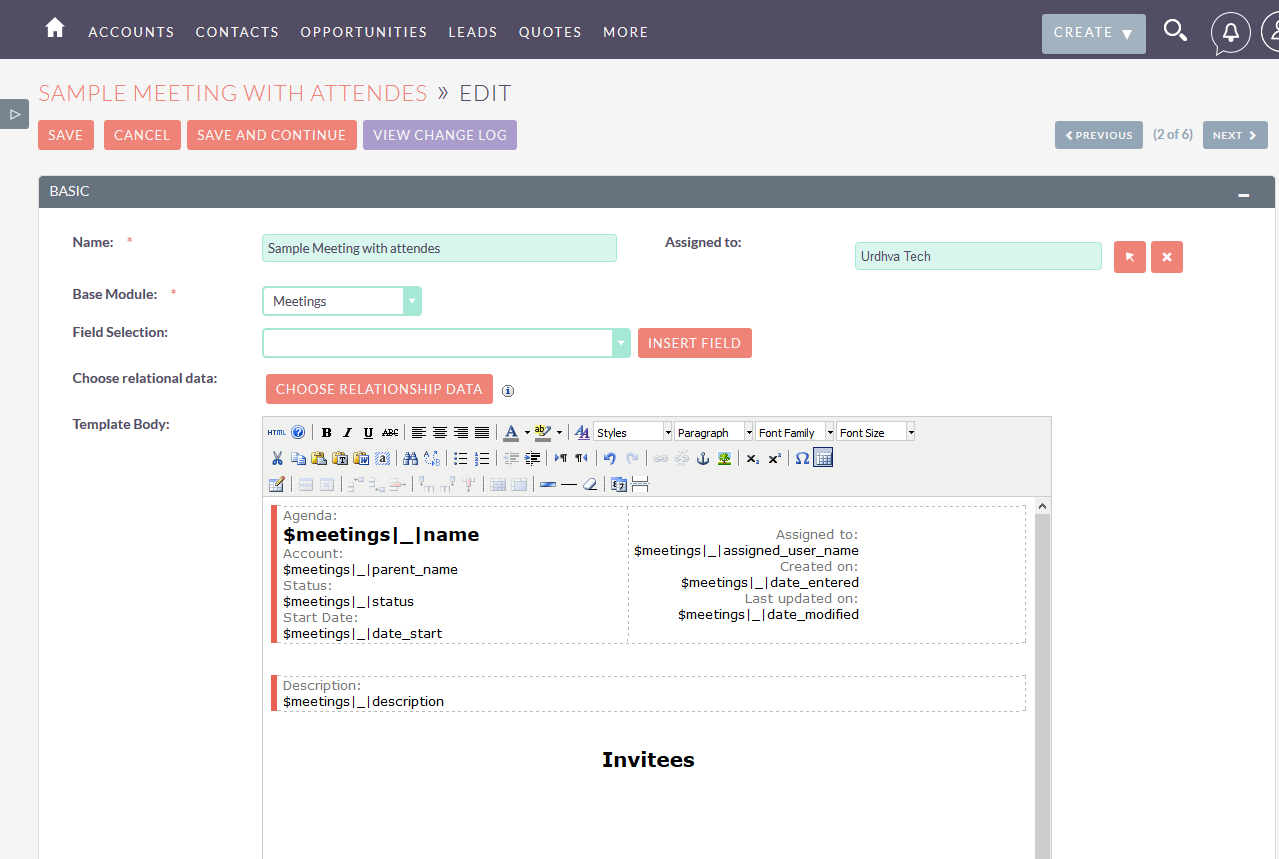
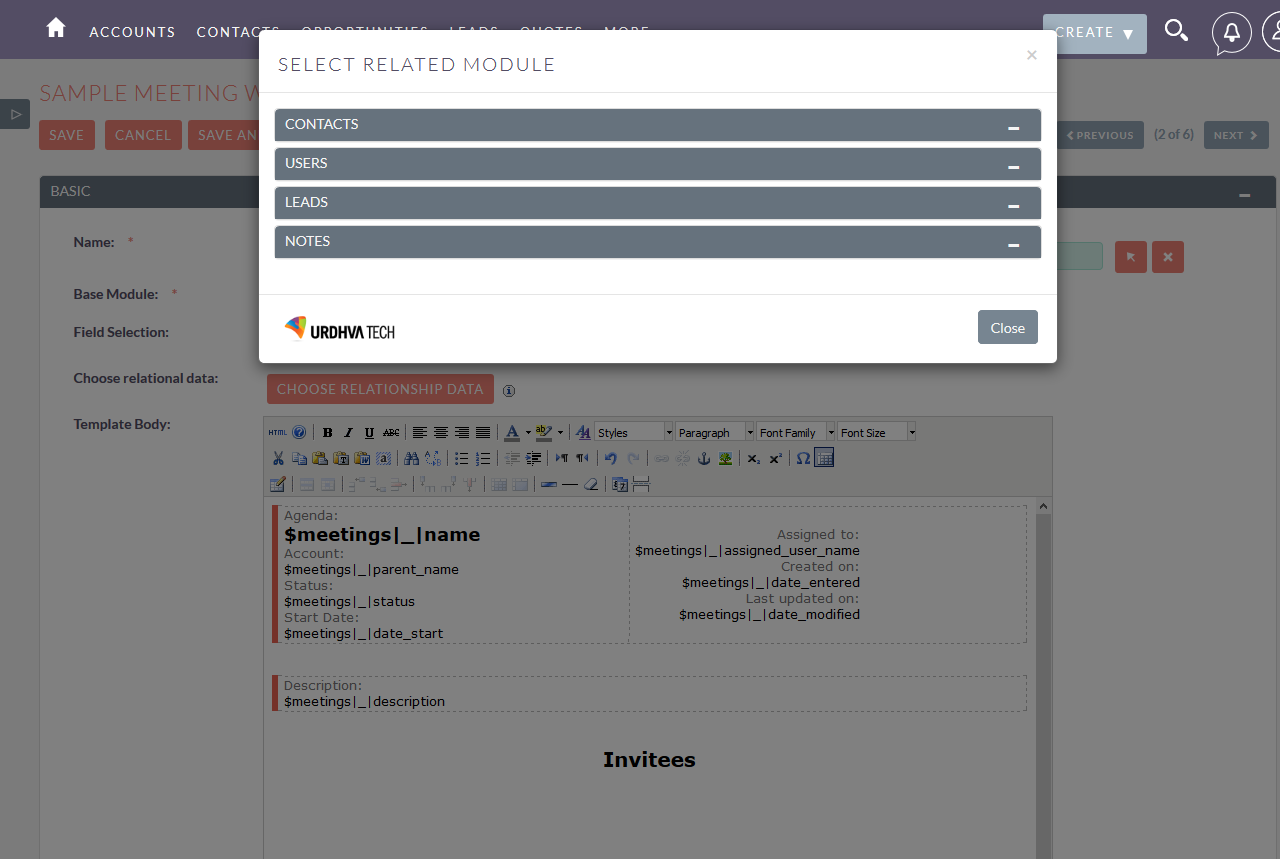
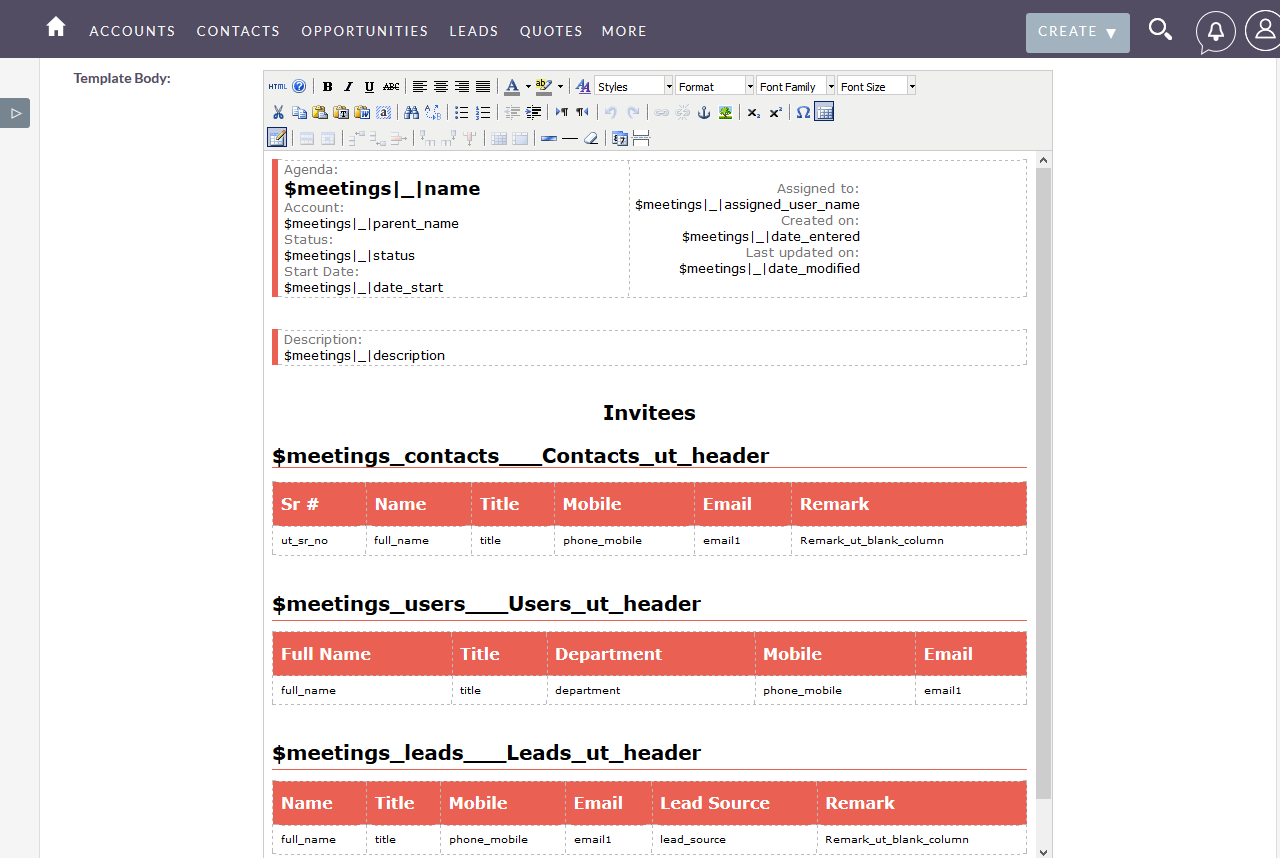
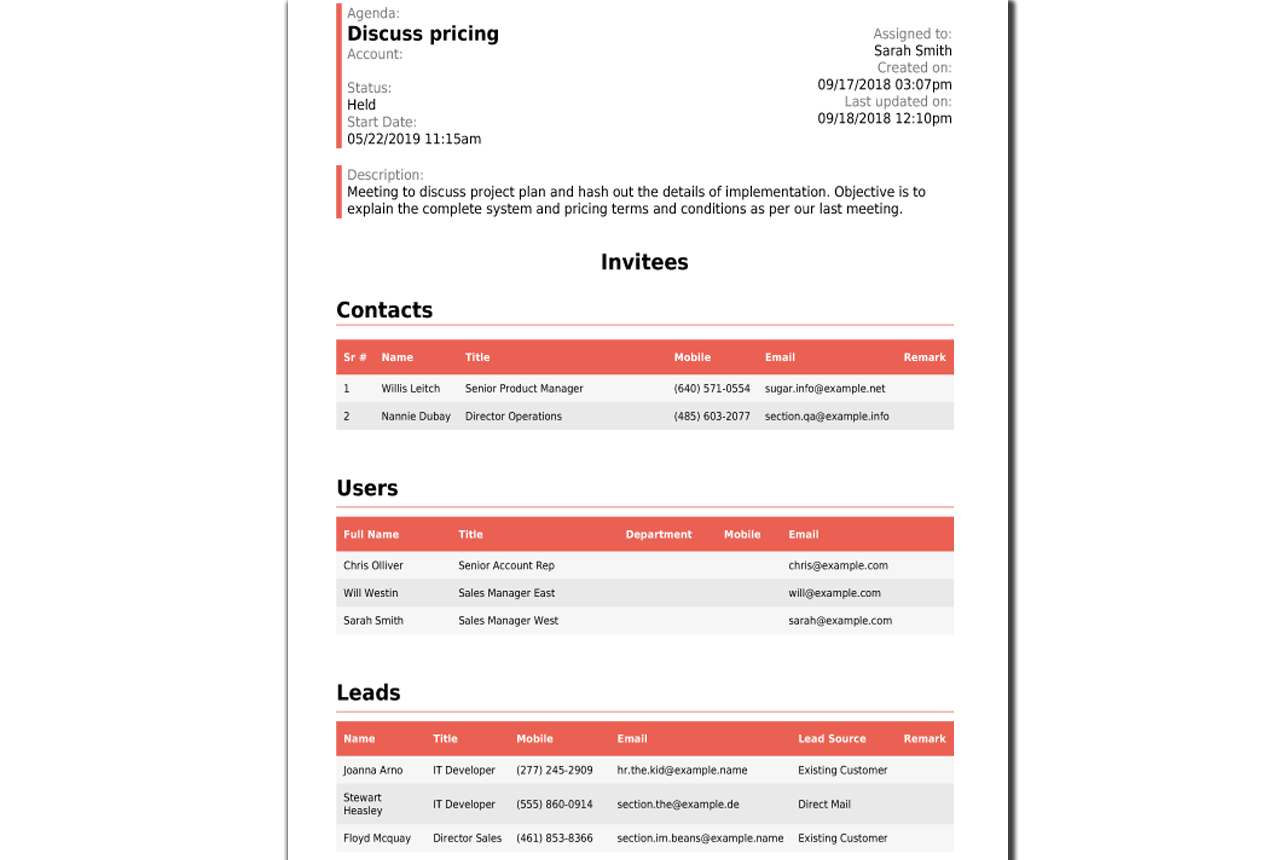
Meeting with attendees
Prepare a complete attendee list with all required details before the meeting. Let DocParser collect the information and present it in your own custom-designed templates.
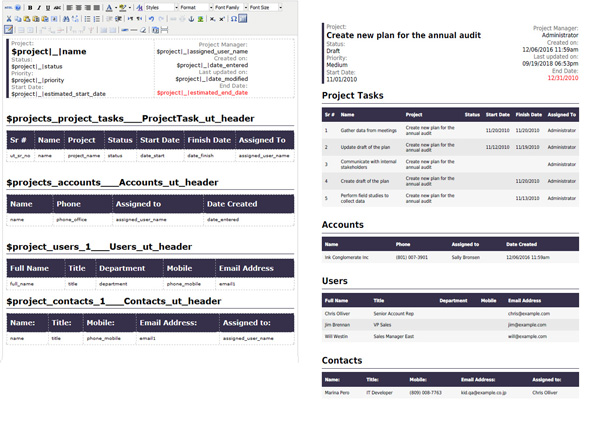
Project overview
Winning a big project is exciting, but it is only the beginning. Most projects include tasks, production, delivery, quality assurance, testing, and invoicing. DocParser helps you present project-relevant information clearly, including tasks and related resources.
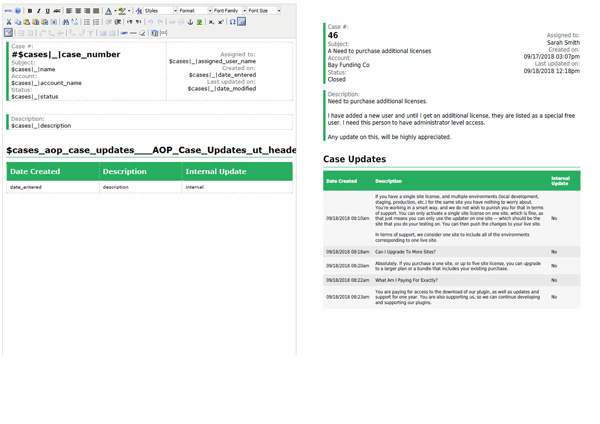
Case with Case updates
Get the case and its update at a glance. Generate PDF or word of the case with fields like Case number, description, status, resolution along with the case update threads.
Get DocParser for SuiteCRM

Frequently Asked Questions
What is SuiteCRM Mail Merge?
SuiteCRM Mail Merge uses DocParser to merge SuiteCRM record data into reusable Word and PDF templates so you can generate documents from CRM records.
Can DocParser generate Word and PDF documents from SuiteCRM?
Yes. DocParser generates Word and PDF documents from SuiteCRM module data, including related records.
Can I use custom SuiteCRM modules with DocParser?
Yes. DocParser can generate documents from built-in and custom SuiteCRM modules.
Can DocParser merge related SuiteCRM data into documents?
Yes. You can include related records such as Contacts, Meetings, Tasks, Opportunities, and Cases in a single generated document.
Can I generate documents for multiple SuiteCRM records?
Yes. Users can select multiple records in List View and generate documents in bulk.
Can SuiteCRM documents be generated through workflows?
Yes. You can automate sending generated documents as workflow email attachments.
Can generated files be stored inside SuiteCRM?
Yes. Output can be saved to the SuiteCRM Documents module so teams can access and manage files centrally.