

Docusign Integration
Integrate Docusign with SuiteCRM and manage the complete eSignature workflow directly from your CRM. Our Docusign integration for SuiteCRM lets you generate contracts, agreements, quotes, and NDAs from CRM data, send them for electronic signature, and track signing activity without leaving SuiteCRM.
Pull CRM data from Accounts, Contacts, Leads, Prospects, Users, Quotes, and Contracts to generate eSignature-ready documents. Once signed, documents are securely stored and attached to the matching CRM records, giving your teams complete visibility and an audit-ready document history.
What Is DocuSign SuiteCRM Integration?
DocuSign SuiteCRM integration connects your SuiteCRM records with DocuSign so your team can prepare, send, sign, and track documents without switching between systems. Instead of manually downloading CRM documents and uploading them to an eSignature platform, users can start the signing workflow directly from SuiteCRM.
This helps businesses manage contracts, quotes, agreements, NDAs, and other documents while keeping document activity connected to the relevant CRM records.
Documents & PDF Templates for Signature
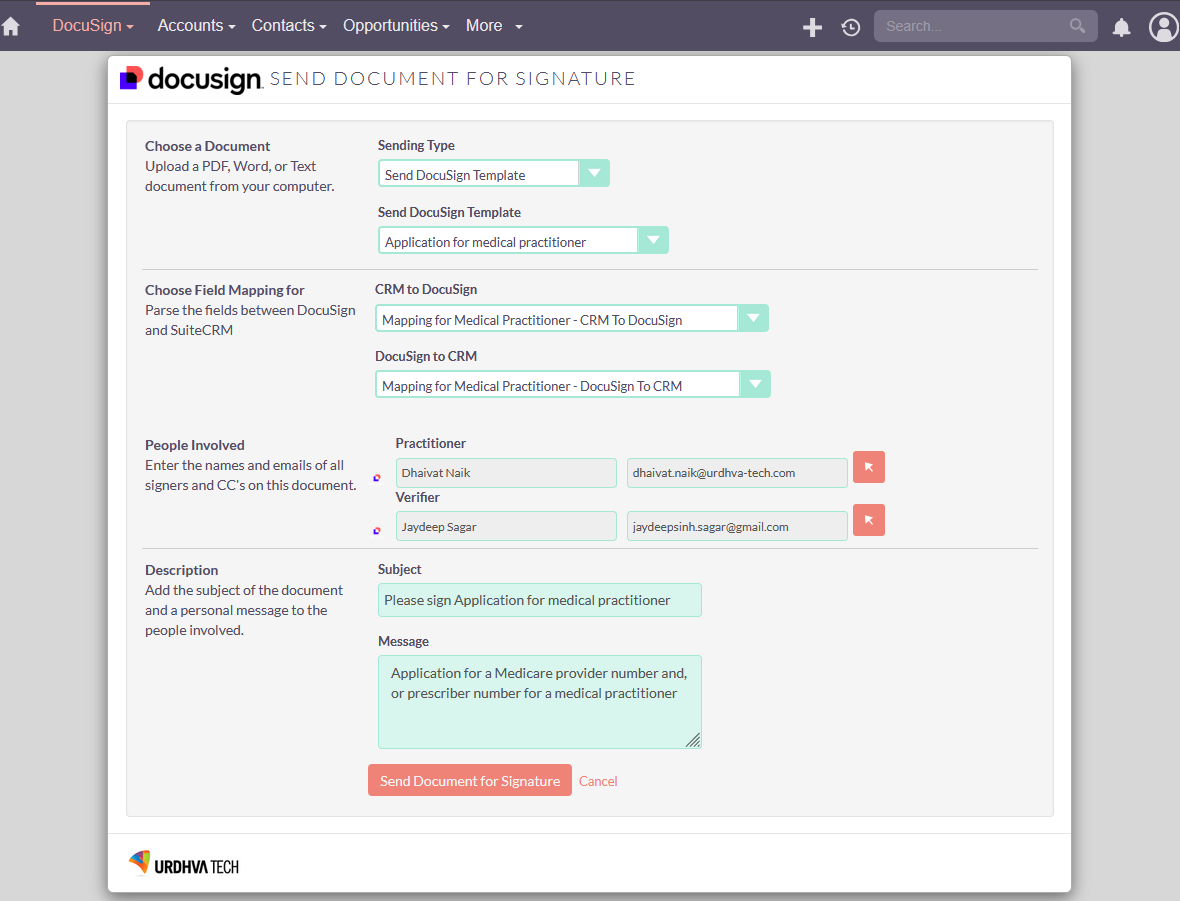
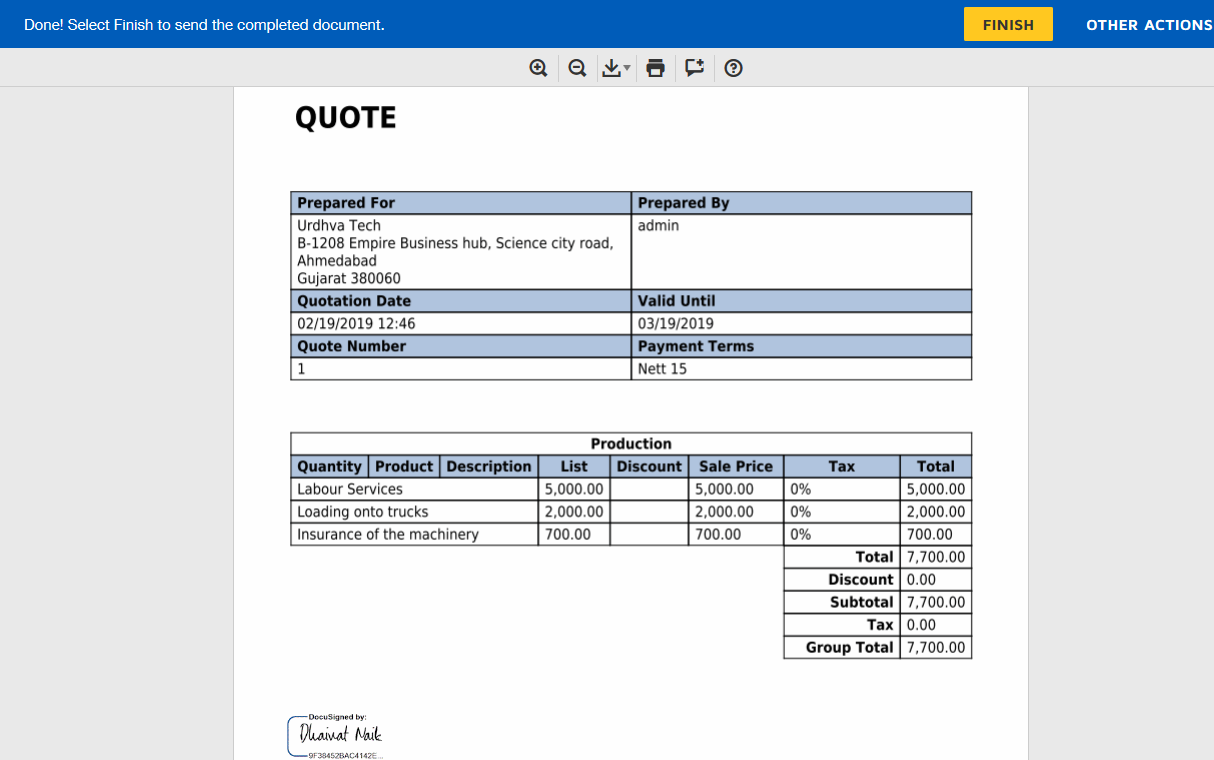
Send documents and PDFs directly from SuiteCRM using Docusign templates or SuiteCRM PDF templates. The integration auto-populates merge fields and signer roles from CRM data, so your documents are accurate, consistent, and ready for Docusign eSignature in seconds.
Real-Time Updates & Tracking
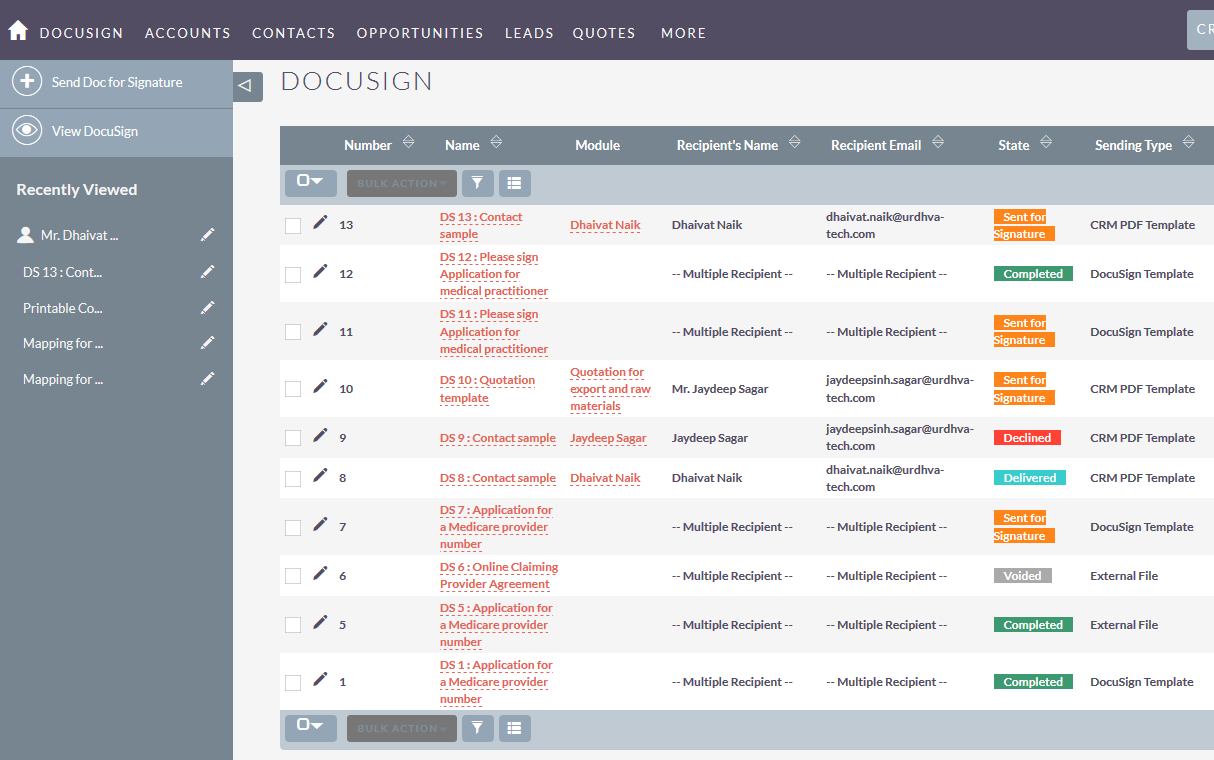
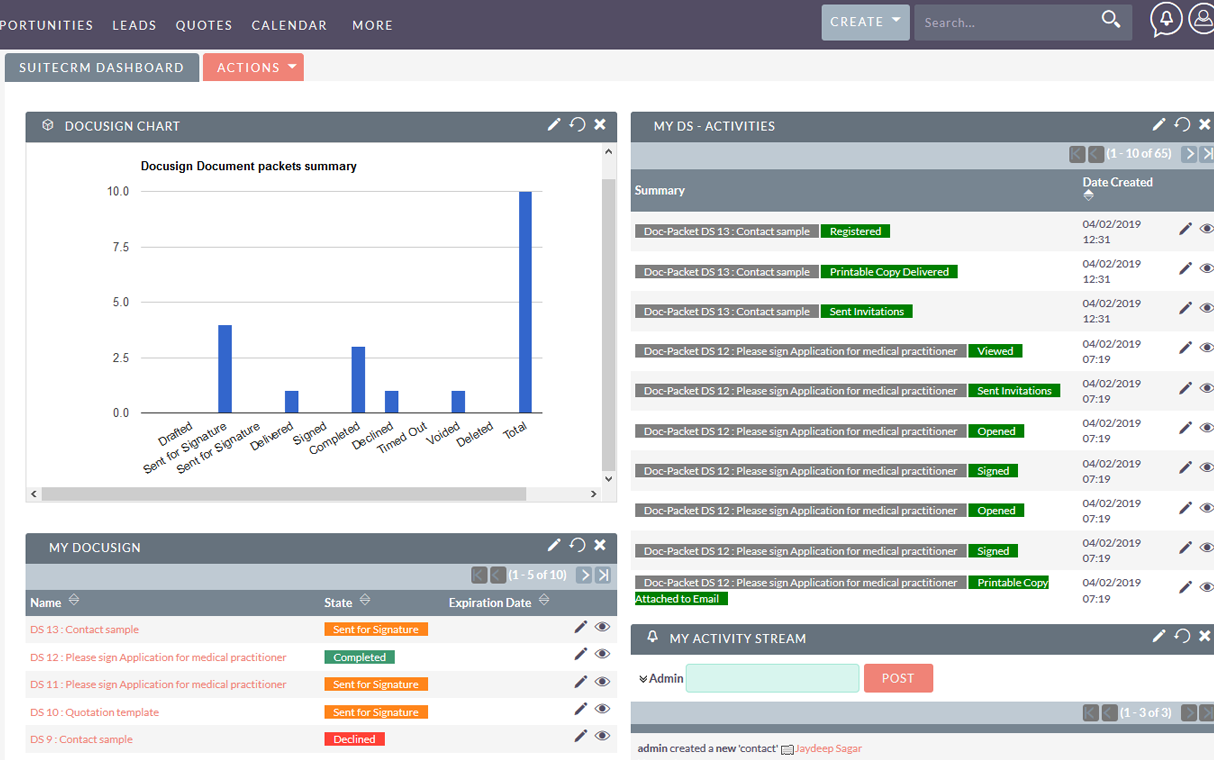
Get instant updates when agreements are viewed, signed, declined, or voided. All signing activity is logged in SuiteCRM and displayed in dashboards/dashlets, giving sales and operations full visibility into document status, signer progress, and next steps.
Supported CRM Modules
Seamlessly send documents from Accounts, Contacts, Leads, Prospects, Quotes, and Contracts. Signed documents are automatically saved as Notes attachments and linked to the originating record—so your teams always have the final agreement in the right CRM context.
Track Documents End-to-End
Track documents from creation to completion within SuiteCRM. The Docusign module stores envelope/document details, links them to CRM records, and provides subpanels for quick access—making it easy to follow every agreement through eSignature completion.
Docusign Integration Features & Benefits
Looking for the right eSignature solution for SuiteCRM? Compare popular integrated eSignature options to find the best fit for your business.
Why Choose This Integration?
- Automate Docusign eSignature workflows with template recognition, merge-field automation, and SuiteCRM data mapping
- Send documents faster by pulling recipients, messages, and PDF/Docusign template content directly from SuiteCRM
- Keep signing measurable and auditable with real-time status updates and audit trails stored in SuiteCRM
- Securely manage signed documents and return final files to the matching CRM records for easy retrieval
- Deliver a consistent, mobile-friendly signing experience for desktop, tablet, and mobile signers
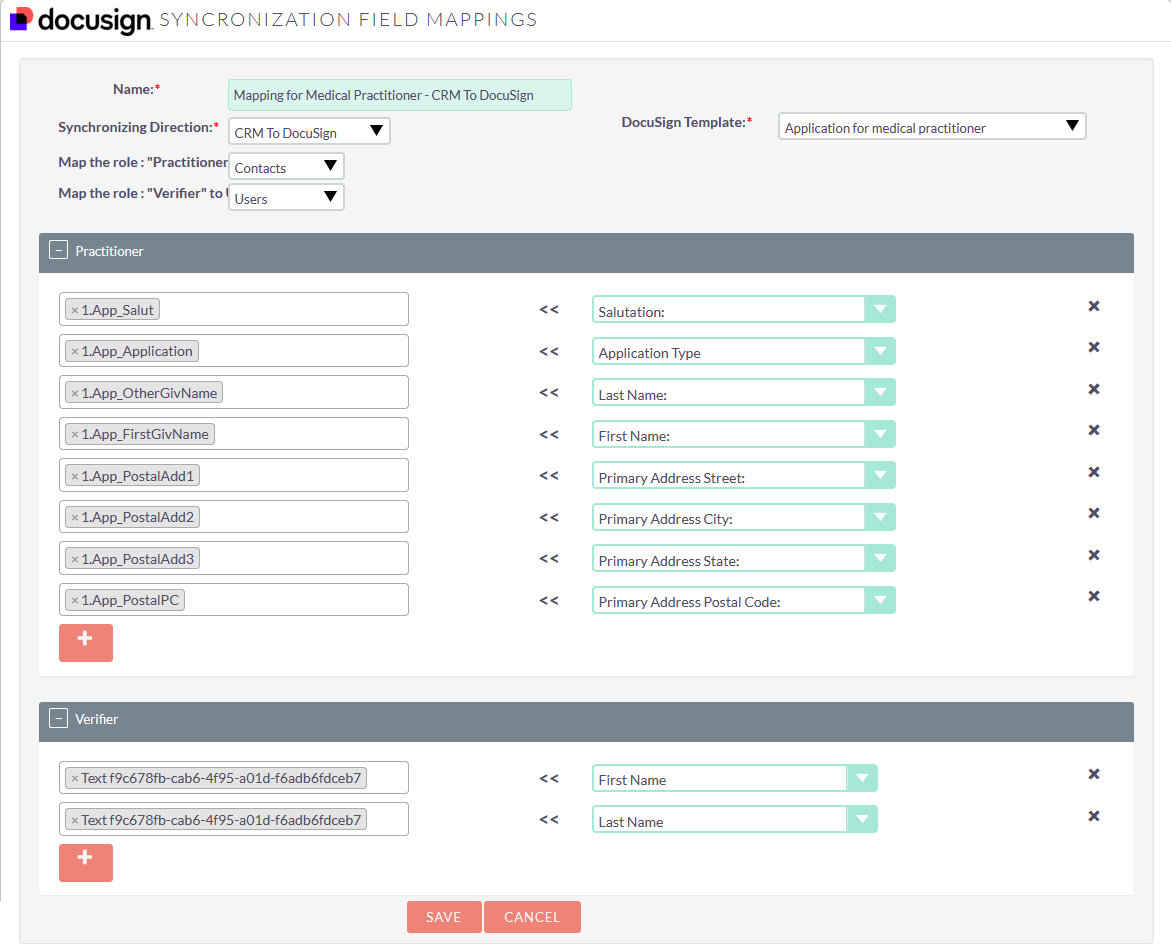
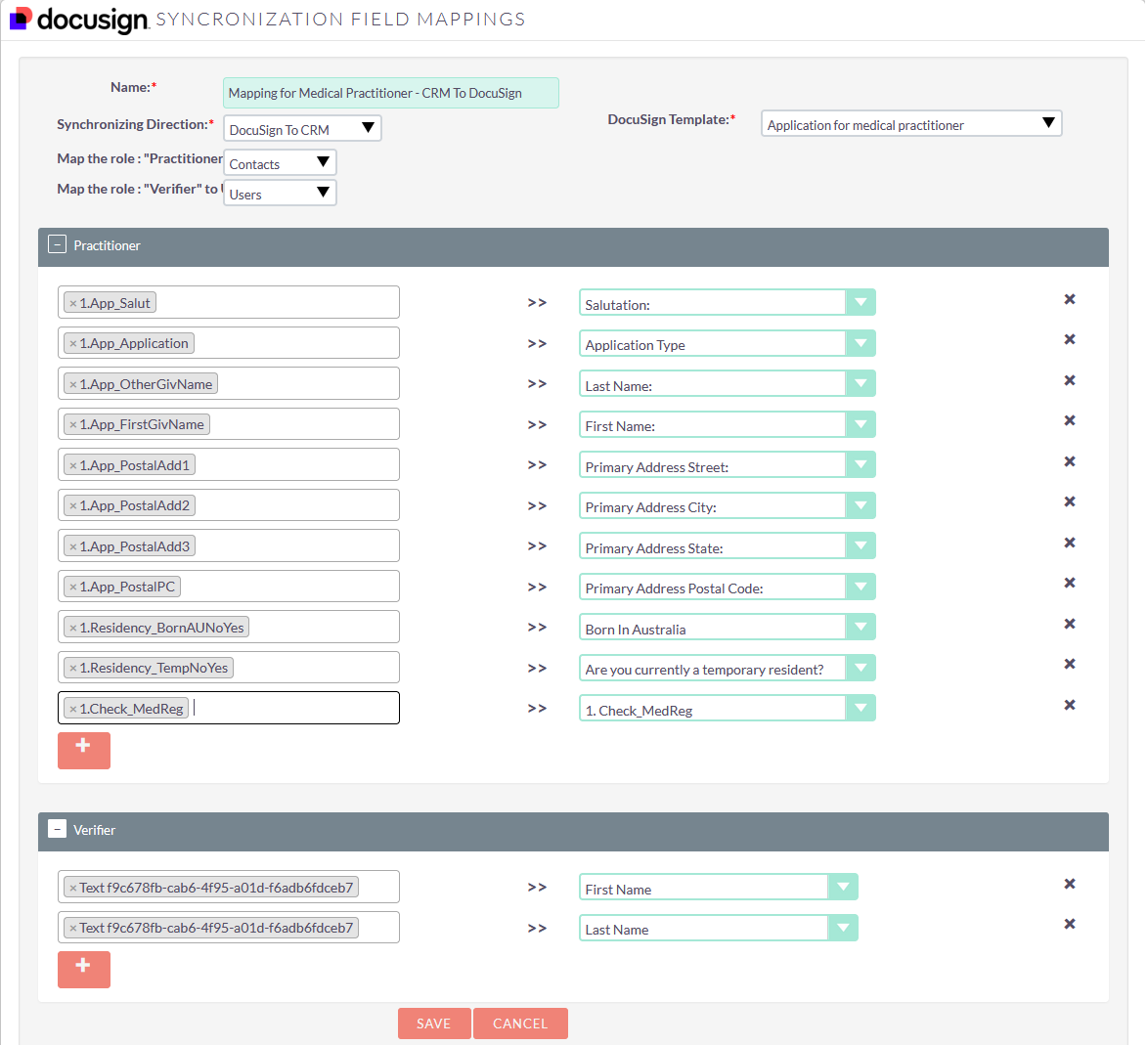
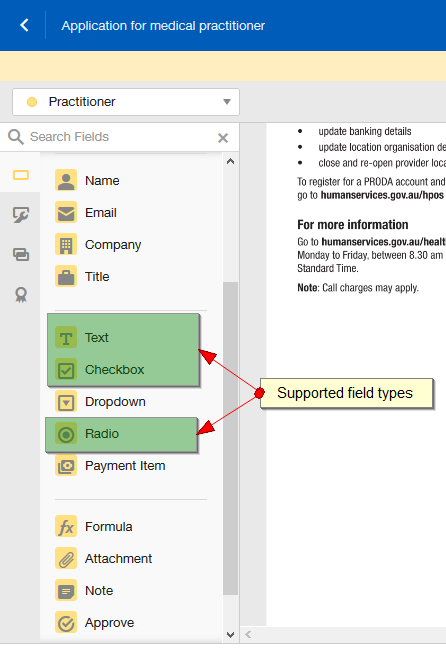
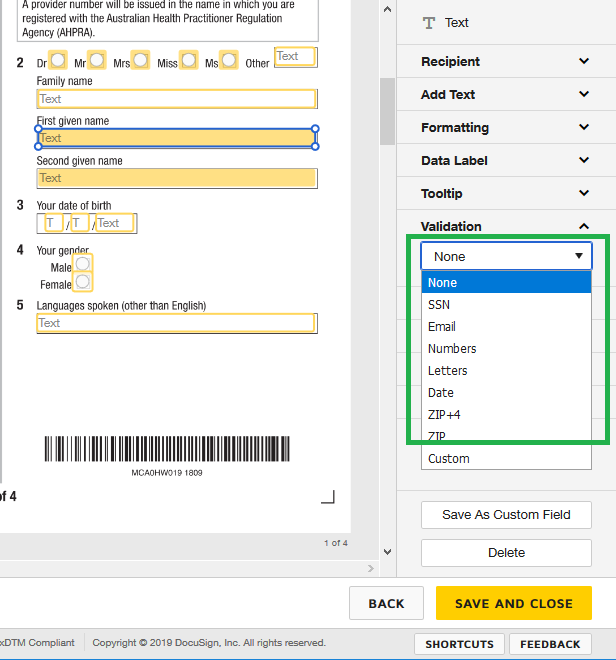
Docusign Supported Fields for Mapping
DocuSign SuiteCRM Integration Setup
To connect DocuSign with SuiteCRM, install and configure the DocuSign integration plugin, connect your DocuSign account, configure the required integration settings, and verify the document signing workflow.
Once configured, users can initiate supported DocuSign workflows from SuiteCRM and track the signing activity associated with their CRM records.
For detailed configuration and usage instructions, see our DocuSign SuiteCRM User Guide.

How DocuSign Works with SuiteCRM
- Connect Docusign to SuiteCRM.
- Sync templates (Docusign + SuiteCRM PDF templates).
- Map fields and signer roles for merge-field automation.
- Send documents for signature from CRM records.
- Track sent/viewed/signed/declined/voided status and return signed files to the matching CRM records.
Frequently Asked Questions (FAQs)
Answers about the SuiteCRM Docusign integration plugin, versions, templates, mapping, tracking, security, and mobile signing.
What is SuiteCRM Docusign Integration?
SuiteCRM Docusign Integration lets you send contracts, agreements, quotes, and NDAs for Docusign eSignature directly from SuiteCRM. It automates document workflows by generating documents from CRM data, auto-populating Docusign templates and SuiteCRM PDF templates with merge fields, tracking signing status end-to-end, and storing the signed files back on the matching CRM record.
Which SuiteCRM versions are supported?
This integration supports SuiteCRM 8.8and above.
Can I send documents from different CRM modules?
Yes. Send documents from Accounts, Contacts, Leads, Prospects, Quotes, and Contracts. Each envelope is linked to its originating record for better visibility.
Are the signatures legally valid?
Yes. Docusign provides legally binding electronic signatures with full audit trails, helping you meet compliance and maintain accountability for every signed agreement.
Can I track document status in real time?
Absolutely. Track when documents are sent, viewed, signed, declined, or voided directly within SuiteCRM dashboards and activity logs.
Are signed documents stored in SuiteCRM?
Yes. Signed documents are automatically saved and attached to the relevant CRM records so teams can access the final files quickly.
Does it support Docusign templates?
Yes. Use pre-built Docusign templates or SuiteCRM PDF templates with merge fields and signature placeholders, so your document creation stays consistent and your recipients get the correct signer experience every time.
Is the integration secure?
Yes. The integration follows industry-standard security practices: documents are securely transmitted and stored, while every meaningful signing event is logged with audit trails to support compliance and internal reporting.
Can users sign documents on mobile devices?
Yes. Recipients can sign from mobile, tablet, or desktop devices for a smooth and flexible signing experience.
How does this integration improve business efficiency?
By automating document generation, sending, signing, and tracking, this SuiteCRM Docusign integration reduces manual work, speeds up deal closures, and improves productivity across sales and operations.
Looking for a customized solution?
Yes. We offer customized solutions tailored to your business needs.
At a glance
SuiteCRM Docusign integration plugin for secure eSignature: sync templates, auto-fill merge fields in Docusign documents and SuiteCRM PDF templates, send for signature from CRM, track signing status in real time, and return signed documents to the correct CRM records with a complete audit trail (SuiteCRM 8.8+).
The problem
Approvals often move through email and disconnected tools, creating delays, missing context, manual rework when signed PDFs arrive, and limited audit visibility.
The solution
Route Docusign signing through SuiteCRM: generate documents from CRM data, auto-populate Docusign templates and SuiteCRM PDF templates with merge fields, track every status, and store signed documents directly on CRM records.